What a PhantomBuster alternative actually has to replace
Before you shortlist a PhantomBuster alternative, work out whether you are replacing a set of components or a workflow somebody built with them. Those are very different replacements. The components are easy to substitute. The workflow is where your team's actual knowledge lives, and it is usually undocumented.
We build GTM Brigade, which is one of the options discussed below, and we say that up front so you can discount the rest accordingly. Where we could not verify something about another vendor we have left it out rather than guessing. Nothing on this page is legal advice, and the compliance section below is a list of questions to put to your own counsel rather than a set of answers.
PhantomBuster sits in the automation-toolkit category. Toolkits are flexible by design, which is their whole appeal and the source of every difficulty discussed here.
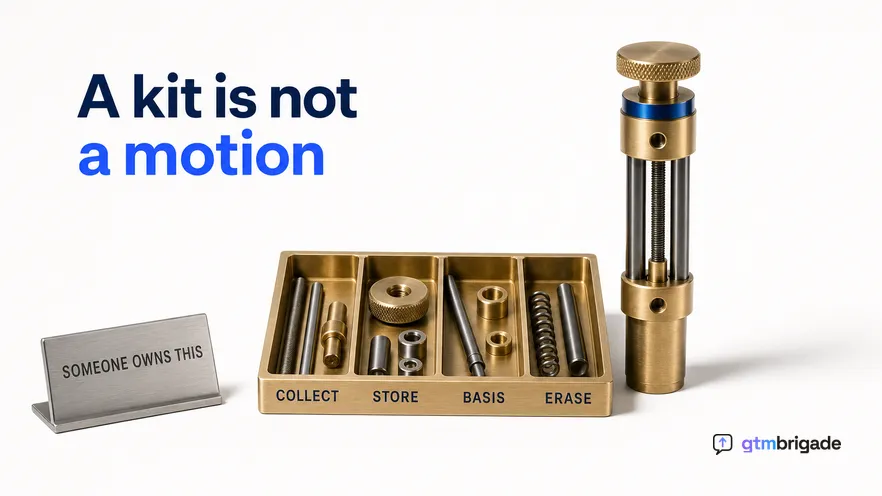
A toolkit is not a motion, and that is the real switching cost
A toolkit sells you components. The motion is something you build out of them, and once built it lives in a configuration nobody wrote down. This is the part that surprises teams during a migration, because the subscription looks like the thing being replaced and it is the smallest part of what is actually there.
Think about what a working toolkit setup contains after eighteen months. A sequence of steps, each with its own settings. Decisions about timing that somebody arrived at by trial. Filters encoding which prospects are worth pursuing. Error handling added after each failure. Small transformations bridging one component's output to the next component's input.
None of that is documentation. All of it is knowledge, and it usually belongs to one person. When that person changes role, the workflow keeps running until an upstream platform changes something, and then it stops, and the team discovers that nobody remaining understands what it was doing or why the third step existed.
That is the genuine switching cost, and it cuts both ways. It makes leaving a toolkit harder than the contract suggests, and it is also the strongest argument for leaving: a motion nobody can explain is a liability whether or not it currently works.
Gartner's research on sales technology has consistently found that adoption rather than capability is what separates tools that produce value from tools that produce licences, and a workflow only one person understands is an adoption failure that has not surfaced yet.
What "compliant" is actually asking about
Compliance review almost never asks which tool you use. It asks what personal data you hold, why you hold it, on what basis, and how somebody removes it. That reframing matters, because it means the answer depends on what you built rather than on what you bought.
Four questions come up in practically every review we have seen described:
- What personal data does this collect? Names and public profile fields are still personal data, and a data protection officer will treat a stored copy differently from something read and discarded.
- Where does it end up? A spreadsheet on somebody's laptop is a harder conversation than a system with retention rules and access control.
- What is the lawful basis? Legitimate interest is commonly relied upon in B2B and it is not automatic. It requires a balancing test somebody actually performed and recorded.
- How does a person exercise their rights? If somebody asks what you hold about them, you need to be able to find it, which is difficult when the data lives in a chain of ad hoc exports.
A toolkit does not answer any of these for you, and that is not a criticism of toolkits. They are general-purpose by design, so the compliance argument belongs to whoever assembles them. The corresponding advantage of an opinionated product is that the answers are properties of the product rather than of your configuration, and you can ask a vendor to state them in writing.
There is a design difference underneath this that is worth naming plainly. Engaging with a buyer from a rep's own account, on posts that person published publicly, using a comment that rep approves, creates a much smaller data footprint than extracting a list of profiles into storage and processing it. Both are activities a legal team may be perfectly comfortable with. They are not the same conversation, and it is easier to have the first one.
The comparison, honestly
Toolkits and engagement platforms are different categories, and a shortlist that treats them as competitors usually ends up comparing price against capability and choosing badly. The table compares what each category asks of you rather than what any specific vendor ships this quarter.
| Automation toolkit | Engagement platform | |
|---|---|---|
| What you buy | Components you assemble | One assembled motion |
| Flexibility | Very high | Deliberately limited |
| Who owns the workflow | You, and usually one person | The vendor |
| Breaks when | An upstream platform changes | An upstream platform changes |
| Who repairs it | You, on your own timeline | The vendor, for everyone at once |
| Compliance argument | Yours to construct | The vendor's to state |
| Best when | The motion is genuinely bespoke | The motion is fairly standard |
The two rows about breakage are the ones that decide most migrations. Both categories break when a platform changes, which is normal and unavoidable. The difference is who is awake at the time and whether the fix arrives for you alone or for everybody on the product.
The maintenance cost nobody quotes
Assembly is a one-off cost that gets estimated. Maintenance is a recurring cost that does not, and it is the larger of the two over any period longer than a year. This is the single most reliable source of disappointment in the toolkit category, and it has nothing to do with product quality.
The pattern is consistent enough to describe in advance. A workflow is built in an afternoon and works well, which sets the team's expectation of what this kind of work costs. Some months later an upstream platform changes a page structure, a rate limit or a field name, and the workflow stops or, worse, keeps running while producing subtly wrong output. Somebody notices, traces it, repairs it, and the repair takes a day rather than an afternoon because the person repairing it is not the person who built it.
Two things make the second event much more expensive than the first. The original build had a clear goal and a person motivated to reach it. The repair has neither: it is an interruption to whatever that person was actually working on, and it arrives without warning. And the failure is often silent, so the cost includes however many weeks of degraded output preceded the discovery.
None of this argues against toolkits. It argues for costing them honestly. The question to answer before you choose is not whether you can build the workflow, because you almost certainly can. It is what happens in month nine, and who has agreed in advance that fixing it is part of their job.
Where a toolkit is still the right answer
There are cases where we would tell you to stay with a toolkit, and pretending otherwise would make this page less useful. Three of them come up often enough to name.
The first is a genuinely unusual motion. If your workflow encodes something specific about your market that no product ships, a toolkit is the honest answer, and paying the maintenance cost buys you something real. Products in this category are opinionated, and if your opinion differs for good reasons you should keep it.
The second is a research or enrichment job rather than a selling motion. Building a market map, checking a list against a source, assembling a one-off dataset for a campaign: those are project work, they end, and the assembly cost is bounded because the workflow is not meant to run forever.
The third is a team that already has the ownership in place. If a named person owns the workflows, the setup is documented, and repairs happen within days rather than quarters, the toolkit is working as intended and there is nothing here to fix. That situation is less common than teams believe, and it is easy to test: ask who repairs a broken workflow and how long the last repair took.
What to ask before you switch anything
Five questions, all answerable from vendor documentation and one call, and all more predictive than a feature comparison. We would put them to any vendor in this space, ourselves included.
- How does the product access the platform, and what happens when access rules change? This is the question that separates vendors whose approach survives a policy change from those whose does not.
- What personal data does it store, and for how long? Ask for the answer in writing, because your legal review will want it in writing.
- Does it write back to your CRM? If the activity does not reach Salesforce or HubSpot, you cannot attribute pipeline to it and you cannot defend the line at renewal.
- Whose voice does the output use? One house voice across a team is noticeable to anybody who follows two of your reps. A model per rep is a different product decision.
- Who repairs it when it breaks, and how fast? For a toolkit the honest answer is you. Make sure the person named actually knows they are named.
What this comparison cannot tell you
It cannot tell you whether either category works in your market, and neither one creates demand that was not there. McKinsey's work on B2B sales has repeatedly found that channel effectiveness varies sharply by segment and deal size, so a motion that produces pipeline in one market can produce silence in an adjacent one with no fault in the tooling.
It cannot settle your compliance position. Two teams can use the same product and reach opposite conclusions, because the conclusion depends on what they collect and what they do with it. The questions above are the ones worth asking. The answers belong to your own counsel.
And it cannot tell you whether the flexibility is worth the maintenance, because that depends on a fact about your organisation rather than about either product. Forrester's research on revenue operations points at the same underlying issue: the constraint is usually ownership rather than capability, and a tool cannot supply an owner.
If you want the motion itself written out rather than a tooling comparison, the LinkedIn engagement-to-pipeline playbook for B2B GTM teams covers it end to end. For the neighbouring question of signal capture against execution, see the Trigify alternative for engagement-led selling, for the account-safety framing specifically, the Expandi alternative for safe LinkedIn outreach, and for what changes when a whole team is involved, the Waalaxy alternative for B2B Sales teams. If the workflow ownership problem described above is the one you recognise, it usually lands with RevOps.